Showing posts with label Mac. Show all posts

Tuesday, 22 November 2016

Debug logging in FireMonkey – CodeRage XI Lightning Talks

During CodeRage XI I had a couple of Lightning Talks broadcast on a subject I’ve been intending to write up for quite a long time, but haven’t quite managed to achieve: how to emit debug log messages on the various FireMonkey platforms.

I made a 10 minute video for Delphi and one for C++ looking at all the target platforms, Win32/Win64, OS X/macOS, Android and iOS, showing the logging options and then looking at how to view log output.

Unfortunately I got a bit caught up in some work and didn’t publicise this ahead of the conference, so I think not many people were aware of them.

Wednesday, 11 September 2013

Delphi for Android (aka Delphi XE5 aka RAD Studio XE5) has appeared

Delphi Android dude

Blimey, that took me by surprise (again)! I figured it was coming fairly soon, but I didn’t realise quite that soon.

Anyway, Delphi XE5 is here (as is RAD Studio XE5 and siblings), as Tim Del Chiaro on his Delphi Insider blog.

The Trial Edition is up and available for download and those with Software Assurance should have access to the full version.

You can get a run down of what’s new in the XE5 doc wiki – specifically the What’s New page, but there’s also a general What’s New page. However the thrust of this release is all about adding Android to the portfolio of supported target platforms, with the suggestion that you can get applications compiling for both iOS and Android from a single source base.

But before getting bogged down in Android it’s worth mentioning these new features:

  • the REST client library, a new cross-platform framework for easy access of REST-based web services
  • REST debugger
  • the full integration of FireDAC
  • IDE support for MacinCloud
  • Extendible IDE mobile design devices
  • the awesome IDE Insight functionality (Ctrl+. or F6) is no longer a modal dialog but is now a search box
  • style support for the freshly released iOS 7
  • swipe to delete feature on mobile platforms
  • TListView search filtering support
  • the removal of the long defunct WebSnap and InternetExpress (with the suggestion to use IntraWeb and WebBroker instead for similar functionality)

Also there have been a bunch of iOS fixes along the way, as you’d expect.

The full Delphi range of platform targets now covers:

  • 32-bit Windows
  • 64-bit Windows
  • 32-bit OS X
  • iOS Simulator (Intel)
  • iOS (ARM)
  • Android (ARM)

This is achieved with this half dozen compilers:

  • dcc32 – Embarcadero Delphi for Win32 compiler version 26.0 – your regular Win32 Delphi, the latest version updated over many versions since Delphi 2
  • dcc64 – Embarcadero Delphi for Win64 compiler version 26.0 – the 64-bit Windows targeting compiler
  • dccosx – Embarcadero Delphi for Mac OS X compiler version 26.0 – the Delphi compiler that generates 32-bit OS X apps
  • dccios32 – Embarcadero Delphi Next Generation for iPhone Simulator compiler version 26.0 – the NextGen Delphi compiler that builds Intel executables that run in the iOS simulator
  • dcciosarm - Embarcadero Delphi Next Generation for iPhone compiler version 26.0 – the NextGen Delphi compiler that builds ARM executables that run on iOS devices
  • dccaarm – Embarcadero Delphi for Android compiler version 26.0 – the NextGen Delphi compiler that builds ARM executables that run on Android emulators and devices

Android requirements

Because the Delphi compiler generates native machine instructions, its output is processor-specific. In other words it doesn’t target the Dalvik Virtual Machine, where regular Android applications reside, which are basically Java p-code applications that are executed by a variant of the Java VM. Instead it generates raw machine code, as all the current wave of Delphi compilers do (the long gone Delphi for .NET was the exception to this general rule). So because it’ a compiler compiling native machine instructions Delphi’s Android support has the following requirements:

  • there must be a GPU
  • the CPU must be ARMv7 with NEON instruction support
  • the OS on the target device must be one of:
    • GingerBread: Android 2.3.3+ (MR1 or later), which is API level 10
    • Ice Cream Sandwich: Android 4.0.3+ (MR1 or later), which is API level 15
    • Jelly Bean: Android 4.1+ (release, MR1, MR2 or later), which are API levels 16, 17 and 18
  • you can run the app on an Android emulator if:
    • the emulator is set to use the host GPU
    • the emulator is running Ice Cream Sandwich (MR1 or later) or Jelly Bean (release or later)
    • the emulator is not running in a Virtual Machine

These requirements appear here and there in the documentation, mostly concurring with itself: 1, 2, 3. [Update: the 3rd link is new and also lists various devices that FireMonkey apps have been tested on]

[Edit: It should be noted that the Android emulator is an *emulator* – it emulates ARM instructions when set up as an ARM emulated device. This is in contrast to the iOS simulator, which simulates an iOS device by running an Intel code version of the app, where the real iOS app again will be built with ARM instructions for the iOS device ARM chip. The implication of this is that the performance is atrocious and extremely disappointing for most. As Warren Postma details in XE5 Trial Download and Install Experience, you would really be advised to get a cheap Android tablet to test on, and use the emulator as a last resort.]

[Edit: I should add that if you are going to get a cheap Android device to test your apps then you should most definitely take steps to ensure it meets the minimum specifications required by a Delphi application – it must have an ARMv7 chip that supports NEON instructions and be running an appropriate OS version. Thanks for the reminder on that, Jolyon]

How do you find out if your device is supported? Well, the OS version you can find out in the Settings. The path and menu items may vary but goes roughly like this: Settings, About phone (or tablet), Software information, Android version.

To check the CPU details you’ll need to run one of the tools from the Android SDK against your connected device. Delphi installs the Android SDK and NDK if you don’t tell it you have it pre-installed. The Android SDK gets installed into a directory something like: C:\Users\Public\Documents\RAD Studio\12.0\PlatformSDKs\adt-bundle-windows-x86-20130522\sdk. In the platform-tools subdirectory from there is the Android Debug Bridge, adb.exe.

To run a command against your device it needs to be connected, typically by USB. This requires you to install an appropriate USB driver for your device as the ones located by Windows typically don’t do the job. Refer to the helpful The Delphi Geek blog post on the matter, XE5 and USB Drivers, for more information and links to drivers for the more common Android phone manufacturers.

When your phone is connected you’ll need to launch a command prompt and run an adb command. This may be easiest if you change directory to the platform-tools subdirectory (or Shift+right-click on the platform-tools folder in Windows Explorer and choose Open command window here). Firstly run the command:

adb devices

just to prove that your device can be seen by the Android tool chain. Assuming it can, run:

adb -d shell cat /proc/cpuinfo

This will show you CPU information something like this:

Processor       : ARMv7 Processor rev 0 (v7l)
processor       : 0
BogoMIPS        : 13.52

processor       : 1
BogoMIPS        : 13.52

processor       : 2
BogoMIPS        : 13.52

processor       : 3
BogoMIPS        : 13.52

Features        : swp half thumb fastmult vfp edsp thumbee neon vfpv3 tls vfpv4

CPU implementer : 0x51
CPU architecture: 7
CPU variant     : 0x1
CPU part        : 0x06f
CPU revision    : 0

Hardware        : UNKNOWN
Revision        : 0003
Serial          : 0000000000000000

Check the Processor line to ensure you are running ARMv7. In the Features line check that neon is included in the CPU feature list

Product Launch

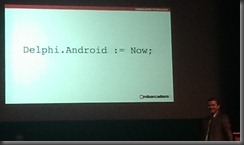
There have been various events worldwide over recent fays and more coming in the days ahead, spreading the word about the new Android support in Delphi XE5. Today I attended the London event, which was held in a theatre in the Natural History Museum.

NHM

Embarcadero’s JT was over to help with the launch, and also on stage were Jason Vokes and Steve Ball.

I was a long way back in the audience with the zoom on my telephone’s camera on maximum. But this was the theme for the day.
Delphi.Android

Addenda

If you are keen to try out Delphi’s Android support, go right ahead and start downloading and installing. However I would urge you to read up on how Android development works whilst the download/install process takes place. There are many docwiki pages that help you get a handle on how it all fits together with the main entry point here: Android Mobile Application Development. A whole bunch of subtopics are listed here.

Recent posts about Delphi’s Android support, which pre-dated today’s launch, include the following:

In a previous blog post I discussed the Objective-C Bridge, available when building iOS apps. This is part of the RTL that allows Delphi code to interact with Objective-C API code. Objective-C code is compiled native code and Delphi code is compiled native code, so the bridge allows the two sets of code to get along. You can define Delphi versions of iOS classes (rather akin to how you can declare Delphi versions of Win32 API functions in classic Delphi), create instances of Objective-C classes, inherit from Objective-C classes and generally do what is necessary to access parts of the CocoaTouch API that are not consumed and surfaced by FireMonkey or parts of the API that do not have similar behaviour exposed by FireMonkey.

Oh, I should mention it’s not so much called FireMonkey now. It seems to be getting referred to more and more as the FM Application Platform. I suspect the latter sounds a little more “business”-y.

Anyway, the Android support offers a similar API bridge called the Java Bridge. Now the Android SDK classes are Java classes living in the world of the Dalvik VM. Delphi code is machine code running on the CPU. This is different to the iOS case. So the Java Bridge uses JNI to communicate across the native/managed boundary but basically offers broadly similar behaviour. You can declare Delphi versions of Android classes, create instances of them and communicate with them. So aspects of the Android API that do not get employed by regular Delphi apps can be accessed for the most part.

One shortcoming of the Java Bridge is that you cannot inherit from a Java class, which makes certain things rather tricky. However I’m going to write up my understanding of the Java Bridge and Objective-C Bridge in additional fuller articles with various examples over coming months, and try and offer ways around the Java Bridge shortcomings. Watch this space. Well, ok, you’d do better to read up on all the Android backgrounders in docwiki while downloading and installing XE5 :o)

Here are some more Embo pages for you to chew over and apply due consideration to:

Delphi Android dude

Thursday, 30 May 2013

Oxygene 6 now includes Oxygene for Cocoa

Ah, it’s been released… The May 2013 release of Oxygene, released on 27th May 2013, brings us Oxygene 6.0, and Oxygene 6.0 brings us the official release of Oxygene for Cocoa.

The Oxygene language now gives ways of coding for all the currently interesting platforms using the three available editions of Oxygene:

  • Oxygene for .NET (formerly also known as Delphi Prism) – targets the .NET platform, allowing you to build Windows applications, Windows phone applications, Silverlight applications and so on, using the relevant .NET frameworks. Also targets the Mono platform, allowing applications to go to the many places where Mono goes, such as Mac and Linux and also Android and iPhone/iPad using Xamarin.Android (aka Mono for Android) and Xamarin.iOS (aka MonoTouch) using those frameworks.
  • Oxygene for Java – targets the Java runtime, allowing you to build Java apps, Java servlets, Java applets and also, perhaps most interestingly, Android apps. Java apps will use your chosen Java frameworks and Android apps use the Android SDK framework.
  • Oxygene for Cocoa – targets iOS and OS X allowing native ARM applications to be built for iPhone and iPad as well as 64-bit native OS X applications. Applications are built against the native OS X Cocoa and iOS CocoaTouch frameworks.

Oxygene is hosted in Visual Studio 2012 (support for Visual Studio 2010 has now been phased out in Oxygene 6.0). If you don;t have a copy of Visual Studio 2012 the Oxygene installer can set up the Visual Studio 2012 shell first.

For existing users of Oxygene for .NET and/or Oxygene for Java there are some new features added to Oxygene 6.0, including a spate of new conditional defines to help distinguish which compiler built your code or which platform you are targeting:

Oxygene 6.0 edition Edition define Platform define GC/ARC define
.NET ECHOES DOTNET GC
Java COOPER JAVA GC
Cocoa NOUGAT COCOA ARC

However the main thrust of the release is Oxygene for Cocoa, which works in conjunction (if you want) with Apple’s UI designer to support visual UI design via nib (.xib) files or storyboard files. It also understands and fully supports multi-part method names so that it fits in directly with the Objective-C naming system and can represent and refer to any existing methods. It support the iOS Simulator, supports debugging there and on-device and offers all the options needed to sign and provision your apps. It supports ARC (automatic reference counting), understands bridging and uses an LLVM back-end to generate good ARM and 64-bit Intel code.

It ships with all the standard frameworks imported and has a tool that allows you to import any additional libraries you need to work with. Because Oxygene always uses the frameworks that natively exist on the target platforms, there is not an awful lot to learn specific to Oxygene when building Mac or iOS apps. Anything you learn on the Internet about how to build aspects of Mac/iOS apps applies directly – it’s just a case of expressing the various local API calls in the Oxygene syntax, which is a very familiar Object Pascal based syntax.

During pre-release development Oxygene for Cocoa was called Project “Nougat” and I worked with it a lot to keep tabs on how it progressed. I’ve built a whole bundle of test apps to keep on top of (mostly) iOS application development techniques by simply following various online Objective-C tutorials, and just entering the code in Pascal instead of in Objective-C.

I’m delighted Oxygene for Cocoa is now released as I’ve been productive with the tool for quite a long time now. I’ve wanted to make blog posts about how I do thing with it, but given it’s just a syntax shift there hasn’t really been much of a need for it. I guess maybe I’ll do one at some point to show the basics of building up an iOS app in the Visual Studio IDE and getting it launching in iOS Simulator, but after that it’s just writing code in the same way any other iOS developer does; just in Pascal.

On June 17th I’ll be demonstrating the product with a talk at a Developers Group meeting in Maidenhead, UK.

You can find more information about Oxygene for Cocoa at these links:

Buying Oxygene is reasonably pocket-friendly. If you’re new to it then $699 gets you all three versions. Otherwise there is a $499 renewal price for existing Oxygene for Java or Prism customers, a $599 cross-grade price for any users of Embarcadero Delphi or of older Embarcadero Prism versions (XE2 and below) and also a $99 academic price.

If you want to see how you get on with Oxygene 6.0 without committing you can always pull down a trial version first.

Monday, 22 April 2013

Delphi for iOS (aka Delphi XE4 aka RAD Studio XE4) has appeared

We’ve heard lots of noises about Embo’s pending Delphi support for iOS over the last 6 months or more and now the wait is over.

RAD Studio XE4 Installer

The iOS support has arrived, but not as the largely expected add-on to XE3, but instead as a new version: XE4 (available with or without iOS support). Delphi XE4 has arrived (along with C++Builder XE4 and RAD Studio XE4) and now targets:

  • 32-bit Windows
  • 64-bit Windows
  • 32-bit OS X
  • iOS Simulator (Intel)
  • iOS (ARM)

There is a flurry of activity about this new release over the blogosphere and here’s a summary of the key points regarding information about the product and regarding the product itself.

Information

Product details

The main thrust of this release is the Delphi support for iOS, specifically two new cross-compilers that support targeting the iOS simulator (Intel) and native iOS (ARM) called dccios32.exe and dcciosarm.exe.

As you might expect there have been a raft of changes in FireMonkey to support this wider platform range and improve the existing platform support. Indeed FireMonkey has now changed from being known as FM2 to now being FM3. The online help has much information on the changes to FireMonkey.

The IDE has new mobile form designers (no longer floatable although see François’ post here if you really want a floating designer for VCL development) and new target platforms to get your app on the simulator or iOS device. Of course FireDAC is in the box too.

InterBase ToGo is now supplied as an option for an embedded database in your application, including iOS applications. Note that InterBase ToGo requires a license to be bought, whereas IBLite does not (and also does not support encryption, more than 1 core, more than 1 connection, etc.). More info on InterBase ToGo is available in this quick-start guide.

iOS support has been added for SQLite, IBExpress and the MIDAS client components (notably TClientDataSet).

The iOS compilers introduce the Next Generation Delphi language, which some of you will have seen hints of in the Delphi XE3 source code via the NEXTGEN conditional compilation symbol that is checked for in many places. This Next Generation Delphi support is currently only available in the iOS compilers, though it’s a safe bet we’ll also see it in the Android compiler, whenever that appears.

The Next Generation Delphi compiler takes the opportunity to off-load some aspects of the Delphi language that are a little archaic and at the same time bring in some new helpful features.

Things that have gone/changed include:

  • Some of the many string types have gone (AnsiString, UTF8String, RawByteString, WideString, AnsiChar, PAnsiChar, PWideChar, OpenString, ShortString) leaving just the basic type string , an alias for UnicodeString.
  • Pointer support is gone. For interfacing with external library APIs there is a new TMarshaller record, which works with the TPtrWrapper record.
  • Strings are 0-indexed instead of 1-indexed by default. It is recommended you employ TStringHelper (introduced in XE3) to work with strings as it knows about the string indexing on the different platforms.
  • Strings are to be considered immutable. Currently you can change string contents but will get a warning for your trouble. This is to encourage you to change the code to use a TStringBuilder to build a new string. Future versions may change the warning to an error.
  • Inline assembler support is gone.
  • You are advised to rewrite code that uses with as this is likely to be removed in future versions. I can see the benefit in enforcing this, as I have bumped into so many scope errors caused by over-zealous with usage over the years…

New things include:

  • Automatic Reference Counting (ARC) for objects.
  • Weak references
  • Atomic intrinsic functions:
  • New predefined conditional symbols (* the content of this table is subject to change based on proper testing - the corresponding documentation page is incomplete/incorrect, so some educated guesswork has gone on thus far):
    Symbol:

    Defined:

    For compilers:
    AUTOREFCOUNT if ARC is available dcciosarm, dccios32
    CPUARM if the CPU is ARM-based dcciosarm
    EXTERNAL_LINKER for compilers with an external linker dcciosarm, dccios32
    IOS target platform is iOS dcciosarm, dccios32
    NEXTGEN for Next Generation Delphi compiler dcciosarm, dccios32
    UNDERSCOREIMPORTNAME for compilers that add leading underscores when importing libs dcc32, dccosx, dccios32
    WEAKREF for compilers that can use weak references dcciosarm, dccios32
    WEAKINSTREF when weak references are defined for instances dcciosarm, dccios32
    WEAKINTFREF when weak references are defined for interfaces dcciosarm, dccios32
  • New compiler directives:
    • {$ZEROBASEDSTRINGS ON/OFF} controls whether 0-based or 1-based string indexing is active. You can, for example, use this to force 1-based indexing in mobile code that you haven’t yet updated
    • {$EXTENDEDCOMPATIBILITY ON/OFF} allows use of Extended data type on platforms that do not normally support it (Win64 and iOS). The given support offers the expected 10 bytes storage but doesn’t offer the higher floating-point support that Win32 Extended gives.
  • New compiler attributes:
    • [volatile] to indicate the field may be changed by other threads (it’s a hint to the code optimiser).
    • [weak] to mark a weak reference.
    • [Ref] to ensure constant parameters are passed by reference rather than by value.

Given these changes there is a page that talks about how to migrate code from the desktop to iOS.

Taking all the above onboard, it looks currently like Embo offer a common component framework (also, slightly confusingly, referred to as a platform) to program against for different target platforms (Win32, Win64, OS X, iOS) in FireMonkey (aka FMX aka FM3). As for your Delphi code, however, it would currently appear that desktop code and mobile code will look a bit different, thanks to the string changes (1-indexing to 0-indexing and the push towards immutability) and of course the specific form factors of the UI on the respective platforms.

So, you build a mobile UI and you build a desktop UI. With the desktop UI you take great care to ensure the app looks like a Windows app when compiled for and running on Windows (menu layout, button order and placement on dialogs), and looks like a Mac app when compiled for and running on OS X.

Then when you come to build the code base, you write it once for the desktop using all the standard Delphi-desktop paradigms of creating objects and ensuring they are destroyed with try/finally/free/end. On the mobile side you skip all that and let objects be cleaned up by ARC, and ensure weak references are specified where appropriate.

I’m sure the desktop compiler will catch up with these changes at some point, but in the interim there is a requirement for quite a bit of conditional compilation, or making use of no-op calls in the mobile code. And if/when the desktop compiler catches up, that will potentially force a big hit in massaging desktop code into the new realm of Next Generation Delphi.

It’s all a bit up in the air as to how things will pan out, but to my eyes currently, the only common thing is the FireMonkey framework. Other than that, the coding and design looks to require dedication per platform targeted. Which is no bad thing. In my opinion, when targeting a given platform you should put some effort into making sure the application works gracefully and looks in keeping with its peers.

With that mindset in place, the iOS support looks pretty neat and the changes to the language make Delphi behave a little more like many of the other popular languages in existence. I’ve certainly got no issues with kicking out with and dropping to a single string type. Let’s just be careful to not play the “write once run anywhere” card too frequently, eh?

[Updates]

I added a link to François Piette’s article about re-enabling the floating form designer (only advisable if you develop solely for VCL).

I added a link to the QC fix list for XE4.

Friday, 8 March 2013

More on FireDAC

I’ve yet to pull down and start playing with FireDAC, but it was featured in an Embarcadero event in London yesterday (Thursday). Some points with it were clarified by DavidI, which I thought were quite enlightening:

  • As well as Embarcadero acquiring the intellectual property and all that goes with AnyDAC from DASoft, the original AnyDAC developer, Dmitriy Arefief, is now on a very long-term contract with Embarcadero to keep the development of the product moving forwards.
  • FireDAC is intended as the replacement for dbExpress (DBX). Ultimately dbExpress will be deprecated, but doubtless will still be available for many versions to come (after all, WebSnap is still shipped in the box and hasn’t been focused on for a long time).
  • DataSnap currently relies on dbExpress and Indy. Over time DataSnap will be worked on to make use of FireDAC instead of DBX.
  • FireDAC was attractive to Embarcadero as it covers a much wider range of databases when compared with DBX: Oracle, DB2, SQL Server, InterBase/Firebird, PostgreSQL, MySQL, SQLite, Sybase SQL Anywhere, Advantage DB and Access, along with support for ODBC and dbExpress drivers. It also has a number of useful features, including a performance monitor (ADMonitor), a database explorer (ADExplorer) and a migration tool to convert BDE apps to use FireDAC components.

Additionally, I see in the FireDAC FAQ that if you are not yet an XE3 user you can still make use of FireDAC in older IDEs by installing it with a particular command-line parameter. According to Marco Cantù the command-line for installation into XE2 is /IDE:DXE2. However I’m not sure how many versions back are supported.

[ Edit: there is now a support article showing how to install into any IDE using the installer’s /showide command-line switch ]

Another change with the AnyDAC –> FireDAC transition is the dropping of support for Lazarus/Free Pascal Compiler, so Linux targeting is now out of the question. If you’re a Delphi customer, this is unlikely to ruffle your feathers, but I guess Lazarus users might be more rightfully irked.

Thursday, 28 February 2013

Hello FireDAC

Yes, I’m sure you saw everyone else’s posts on the matter, but just to be sure, I thought I’d draw your attention to the newly launched FireDAC data access layer (just announced), the result of Embarcadero’s recent acquisition of DASoft’s AnyDAC.

It’s a free download if you have the Enterprise (or higher) version of Delphi, C++Builder or RAD Studio or can be purchased as an add-on (the FireDAC Client/Server Pack) if you have the Professional version (and yes, there’s an offer for current owners of AnyDAC or the XE2 Client/Server Pack.

Click here for the FireDAC FAQ and click here for the FireDAC documentation.

Wednesday, 10 October 2012

Embarcadero Developer Direct webinars return

After a good run of Developer Direct webinars over the summer, the Embo guys return with another ten 2 hour online sessions each Friday starting this coming Friday 12th October, 2012. The running times for the sessions are:

  • 10:00-12:00 London
  • 11:00-13:00 Frankfurt/Paris
  • 13:00-15:00 Moscow
  • 14:30-15:30 Mumbai/Bangalore

You can sign up to the series by using this link and that gets you access to any or all of the following sessions:

Episode Date Topic
1 12 October 2012 RAD Studio XE3 - The Story So Far!
2 19 October 2012 Be Agile Today! - Developer Workflow
3 26 October 2012 FM2 - FireMonkey in Action
4 02 November 2012 Language Focus (Object development, RTTI, 64 Bit)
5 09 November 2012 Mac Development for Windows Developers
6 16 November 2012 From Data to Business Information with RAD Studio XE3
7 23 November 2012 Web and Mobile apps using HTML5 and CSS3
8 30 November 2012 Multi-tier, Scalable Development and Deployment
9 07 December 2012 Windows 8 - Opportunities and Considerations for Developers
10 14 December 2012 Season Summary Session

Friday, 1 June 2012

Mac Development links/info

This week’s instalment of the UK-based Developer Direct webinar series is called Mac Development for Windows Developers, focusing on the Mac aspects of the cross-platform development capabilities of RAD Studio XE2. The following is a set of links and general information picked up during the broadcast.

Links:

Info:

  • FireMonkey (typically abbreviated to FMX) is in essence a cross-platform alternative to the Windows-only VCL. VCL is the Visual Component Library, where many of the components are wrappers around Windows-supplied controls. FireMonkey targets multiple platforms and so doesn’t wrap OS controls or capabilities per se, but creates them from scratch using OS awareness, styles, etc. FireMonkey is described by Embarcadero as a Business Application Platform.
  • FireMonkey supports HD or 3D applications. A HD app is like a traditional Windows form containing controls that are familiar in business applications. a 3D app is a 2D view on a 3D world and so is more suited to 3D graphics scenarios.
    When creating either, the choice affects the form created in the application. However a FireMonkey HD form (a TForm) can make use of FireMonkey 3D components (using a TViewPort3D), and a FireMonkey 3D form (a TForm3D) can make use of FireMonkey HD components (using a TLayer3D, as discussed in the documentation). See this part of the documentation for details.
  • Ctrl+. is the keystroke to get IDE Insight – the incremental search across much of the IDE’s content including components, environment options, project options and more.
  • paserver (Platform Assistant Server) needs to run on OS X to allow RAD Studio’s 32-bit Windows-based IDE to start and communicate with (i.e. launching & remote debugging) an app built and deployed to another target platform, e.g. 64-bit Windows or Mac OS X.
  • When compiling a multi-platform project, each target has its own output subdirectory within the project directory tree, namely: Win32, Win64 and OSX32.
  • Action lists, audio and video are not currently supported in FireMonkey but these are things that are being worked on for future versions.
  • Mixing FMX & VCL integration in an application must occur through dynamic linking; it won’t pan out well if you try and use static linking.

RAD Studio XE2 for the price of Delphi XE2 or C+Builder XE2

Embarcadero are pushing out deals at the moment. In addition to the C++Builder bundle deal written about here, here’s the latest one I’ve bumped into: for the month of June 2012 if you buy either Delphi XE2 or C++Builder XE2 (new user or upgrade, Professional, Enterprise, Ultimate or Architect edition) and you get the full equivalent edition of RAD Studio XE2.

So, in addition to the originally purchased Delphi or C++Builder, you also get the other one of those two, in addition to Embarcadero Prism XE2.5 (aka Oxygene for .NET 5.1) and RadPHP XE2.

You can find what’s new in Prism XE2.5 either on the Oxygene section of the RemObjects web site or in marc hoffman’s blog post. In short you get support for building Metro apps for Windows 8, mapped types, flow control analysis and the neat async future await keyword.

Full details of the deal are available here.

Tuesday, 22 May 2012

C++Builder info/resources

Embarcadero seem to be ramping up their C++ machine now and are issuing a bunch of information on the subject of C++Builder. This seems in keeping with Microsoft who are doing the same, what with C++ being one of the standard tools for developing Windows 8 applications.

As recently posted, DavidI is delivering a weekly series on learning FireMonkey and this is broadcast twice, once for Delphi users and once for C++Builder users.

There is also a dedicated C++ webinar looming at the end of May. This will be presented by Dan Wahlin, a Microsoft MVP and is all about creating Windows and Mac OS X applications from a single C++ code base. The signup link is here.

A new C++ white paper is now available, entitled From Visual C++ to Mac in 90 Seconds, written by Jason Vokes. This looks at how readily Visual C++ developers can pick up FireMonkey to produce applications targeting the growing Mac user base.

An important posting came from John Ray Thomas, Embarcadero Director of Product Management, that being the C++ roadmap from Q2 2012. This lays out the plans for the new C++ tool chain, targeting 64-bit Windows, ARM for iOS and Android, support for C99 and C++11, BOOST and ACE and more. Much of this is already in Beta 1 and soon to enter Beta 2. The current plan is to support C++11, 64-bit Windows and iOS before the end of 2012, with Android support coming in the first half of 2013.

Given that C++Builder XE2 already makes use of a highly customised clang front-end, some have speculated (see the comments on this post) that it would make sense that a lot of this support would come from continuing this development and making use of the LLVM back-end, as that already supports multiple targets.

Finally, Embarcadero are offering the following deal to C++Builder users. If you buy XE2 with maintenance then you will get priority access to a preview of the new compiler as and when it starts appearing and also get you all this new functionality as and when it ships. In addition, the cost will be discounted by 20% until 29th June 2012.

Thursday, 17 May 2012

DataSnap information links/info

Last Friday’s instalment in the Developer Direct webinar series was entitled Multi-tier, Scalable Development with DataSnap. During the session I collated the links and references together so i could post them here for reference (I’ll doubtless need some of them at some point).

Random information picked up during the webinar:

  • in Delphi 2006, MIDAS (Multitier Distributed Application Services Suite) was renamed to DataSnap
  • Delphi 2007 re-architected DataSnap to be entirely written in Delphi and had all previous COM-dependencies removed. It was extended to support COM/DCOM, TCP/IP, HTTP & HTTPS
  • Delphi 2007 introduced a DBX (dbExpress) database driver to access data from remote DataSnap servers
  • DataSnap proxy classes can be regenerated (e.g. if the server has been extended to add functionality) using the context menu on the TSQLConnection component
  • Delphi XE DataSnap demos on Code Central can be made to work in Delphi XE2 by adding IndyPeerImpl into the project file uses clause
  • DataSnap servers are written using VCL so can be Win32 or Win64
  • DataSnap clients can be written on many platforms thanks to the wide range of mobile DataSnap connectors:
    • Delphi (VCL or FMX)
    • C++ (VCL or FMX)
    • C#
    • Delphi Prism
    • FreePascal (Delphi XE2 Update 4)
    • Objective-C
    • JavaScript
    • PHP
    • Java (inc. Android & Blackberry)
  • DataSnap server development requires the Enterprise or Architect version of Delphi, C++Builder or RAD Studio.

Most of these notes I scrawled down as they came up so there is every chance the odd detail may be errant….

Friday, 4 May 2012

FireMonkey information links/info

I checked out today’s webinar on FireMonkey and collated a bunch of links and facts that came up during the presentation. Anyone looking at FireMonkey and wanting to get some background and foundation on the subject should check these out:

Random information picked up during the webinar:

  • Delphi’s library delay loading is available on Windows but currently not on Mac.
  • C++Builder can readily consume a Delphi unit. Add the Delphi unit to the C++Builder project, then right-click on the file in the project manager and choose Make to produce a suitable C++ .hpp header file for inclusion elsewhere in the project.
  • Unlike the old Kylix project, Delphi & C++Builder in RAD Studio XE2 are both solely Windows applications. However Mac apps can be run and debugged across a network link using PAServer, which ships in the box. PAServer works on a specific port (64211 by default) so should be easy to configure in the context of a firewall.
  • Android support being looked at. When it is ready, your FireMonkey code will pay off and be usable on the Android platform.
  • Older toolbox code with assembly code needs work before it can be used with FireMonkey for cross-platform. Realistically it would be best re-written in high level Pascal code. Alternatively you would need to conditionalise and re-write for the various architectures (Mac, Windows 64-bit, Windows 32-bit), which presumably would involve a lot more work.
  • In FireMonkey control parents do not constrain the view of their children. A button on one side of a form can be a child of a control on the other side of the form, no intersection at all is required.
  • Frames. Create a form with all required controls, which in VCL might be done as a frame. At run-time add a layout on the form and set the parent of the would-be frame form to be the layout. The Biz Flow demo shows this in use.
  • David I is a big fan of the TMesh FireMonkey component.

Getting Started with FireMonkey eLearning Series

Over and above the Developer Direct series of weekly 2 hour webinars I posted about yesterday, I’ve also just bumped into a weekly series of training sessions on FireMonkey with David Intersimone.

The format is a weekly half hour training session followed by 15 minutes Q&A, each Thursday, starting May 3rd 2012 (yes, I missed the start of this series too!) and running through to June 28th 2012. Each week there is a Delphi-oriented session (starting at 10am PDT, 1pm EDT, 5pm GMT, 6pm BST) and this is followed by the same session for C++Builder users (11am PDT, 2pm EDT, 6pm GMT, 7pm BST).

You can sign up for the series at this link.

Lesson Date Title
1 03 May 2012 Introduction to FireMonkey and Development Environment Setup
2 10 May 2012 Creating your First FireMonkey Desktop Application
3 17 May 2012 The Integrated Development Environment
4 24 May 2012 Programming Language Basics
5 31 May 2012 Designing a FireMonkey HD User Interface
6 07 June 2012 Connecting to Data
7 14 June 2012 Creating a FireMonkey 3D Application
8 21 June 2012 Using FireMonkey image and Animation Effects
9 28 June 2012 Building Multi-Client, Multi-Platform, Multi-Tier applications

Update: as the series goes on, this landing page is being updated with links to replays for the Delphi and C++ broadcasts as well as course workbook PDFs – great collation of resources from the series!

Thursday, 3 May 2012

Embarcadero Developer Webinar series

I'm not sure why I didn't notice this series of free webinars starting, but i found out eventually, so that’s the main thing.
Embarcadero have started a weekly series of 2 hour webinars on developing using their current RAD Studio toolset, RAD Studio XE2, primarily targeting a European audience, based on the broadcast times.
You can see the list of webinars and their times and also register to take part using their sign-up link. The list of webinars is also shown in the table below.
Episode Date Topic
1 27 April 2012 Convince Your Boss To Upgrade You To RAD Studio XE2
2 04 May 2012 FireMonkey : From Basics into Practice
3 11 May 2012 Multi-tier, Scalable Development with DataSnap
4 18 May 2012 Delphi Language Focus (Object development, RTTI, 64 Bit)
5 25 May 2012 From Data to Business Information with RAD Studio XE2
6 01 June 2012 Mac Development for Windows Developers
7 08 June 2012 iPhone/iPad Development with RAD Studio XE2
8 15 June 2012 RAD Cloud
9 22 June 2012 Be Agile Today!
10 29 June 2012 FireMonkey in Action...3D and Beyond! ….Plus! Season One Summary

Thursday, 9 February 2012

Updated MonoTouch articles available

Last year I made available an intro article and an in-depth tutorial on using MonoTouch, which was at version 3 at the time, and sold by Novell.

Since then lots has changed. MonoTouch is now sold by Xamarin and is at version 5. Also, Apple’s Xcode kit, which is used to design MonoTouch UIs has bounced from version 3.x to version 4.2 with huge changes therein.

Because of all this, those articles have been horribly out of date for some time.

However I’ve now updated them both. Use these links to access my updated MonoTouch introductory article and MonoTouch extensive tutorial, the latter of which covers navigation controllers, SQLite, location-detection, some sensors, web services, splash screens and more.

Thursday, 2 February 2012

DropBox

Yes, we all know that making regular backups is essential, don’t we? And for work stuff that’s probably done as a matter of course. Sometimes personal documents aren’t treated quite so diligently and run the risk of being lost in the case of a disk crash or the laptop accidentally falling off the desk.

Lately I’ve been trying out DropBox as a means to help backup certain documents, but also to gain various other benefits.

When you sign up, DropBox gives you a free 2GB of online storage. The way it works is that you install DropBox onto your Mac or PC and it sets up a DropBox directory, which is then monitored. Any files you put into this directory (subdirectories therein) will be automatically backed up and mirrored to the online DropBox storage.

Moreover, if you have DropBox installed on several machines (physical or virtual) changes to files in a DropBox folder are automatically and instantly synchronised to those machines as well (based on the size of files and Internet connection speed).

If you are disconnected, the changes will stack up and be applied to the online version when you reconnect.

If you change a document from two machines, DropBox doesn’t bother trying to merge the changes – it stores two separate versions.

Additionally, DropBox keeps a record of previous versions of your files, which can be restored at will, and which do not eat into your storage allocation.

If you need access to these stored documents when not at your own machine you can access them after logging in to the DropBox web site.

Additionally you can share folders of files within your DropBox storage to specified people.

I’m finding DropBox a really convenient way of working on documents and projects from wherever I happen to be working, with whatever machine, with the peace of mind that things are automatically backed up.

If you feel like trying DropBox, please sign up and install via this referral link, which means that you will get an extra 250MB of storage on top of your initial 2GB (as will I <g>).

Thursday, 29 September 2011

Delphi and OS X

There are more posts and articles coming out illustrating how to work with cross-platform native aspects (OS X and iOS).

Accessing special folders both on Windows and on OS X are looked at by Malcolm Groves in ‘Cross-platform special folders in FireMonkey

Looking at how to convert from an NSString to a Delphi String is examined by Chris Rolliston in ‘Converting from a Cocoa string to a Delphi string.’ Chris is also sharing some general Mac tips for Delphi programmers in ‘A few Mac tips.’

Rudy Velthuis has looked into how to build an OS X application in Delphi without FireMonkey. Details of his progress are in this thread on the Embarcadero Discussion Forums.

There are more articles out there and more will be forthcoming. I’ll post more links as I find interesting write-ups.

C++Builder and FireMonkey

I don;t think I’d seen any posts on the new C++Builder release (C++Builder XE2) and so was pleased to see Bob Swart address this with a post on C++Builder XE2 and FireMonkey, originally from the C++Builder Developer’s Journal.

The article looks at creating a simple FireMonkey HD application, building and running it on Windows and on Mac OS X. He also looks at deployment and LiveBindings.

It’s good to see coverage of C++Builder topics out on the web.

Saturday, 3 September 2011

Oxygene 5

RemObjects Oxygene product line has now reached version 5 and is now written in itself to ensure continued quality as the product develops further.

Oxygene is a Delphi-like modern Object Pascal language, designed to work well with managed systems such as .NET, Mono and the Java runtime, and not worry too much about out-dated constructs that do not sit well with them. The language supports many up-to-date constructs and concepts, such as sequences, class contracts, nullable types, asynchronous methods, parallelised loops, future types and more besides.

Friday, 2 September 2011

Delphi XE2 and RAD Studio XE2 have arrived

There’s been quite a bit of noise about it of late, and if you have any interest in Delphi you will almost certainly have heard that the new version has come along and has a lot to offer. RAD Studio XE2 is the product that includes Delphi, C++Builder, Delphi Prism (Oxygene for .NET) and RadPHP, Targeting 32-bit and 64-bit Windows and also targeting Apple’s Mac OS X and iOS (i.e. iPhone/iPad/iPod Touch) using the new cross-platform FireMonkey library.
I haven’t yet had much of a chance to explore the new additions to this product so I thought I’d collate a bunch of blog posts and articles/resources on the new release that cover a lot of the major new aspects and so help you know what’s been cooking in the Embarcadero labs over the last year and more.