Showing posts with label Delphi Prism. Show all posts

Thursday, 30 May 2013

Oxygene 6 now includes Oxygene for Cocoa

Ah, it’s been released… The May 2013 release of Oxygene, released on 27th May 2013, brings us Oxygene 6.0, and Oxygene 6.0 brings us the official release of Oxygene for Cocoa.

The Oxygene language now gives ways of coding for all the currently interesting platforms using the three available editions of Oxygene:

  • Oxygene for .NET (formerly also known as Delphi Prism) – targets the .NET platform, allowing you to build Windows applications, Windows phone applications, Silverlight applications and so on, using the relevant .NET frameworks. Also targets the Mono platform, allowing applications to go to the many places where Mono goes, such as Mac and Linux and also Android and iPhone/iPad using Xamarin.Android (aka Mono for Android) and Xamarin.iOS (aka MonoTouch) using those frameworks.
  • Oxygene for Java – targets the Java runtime, allowing you to build Java apps, Java servlets, Java applets and also, perhaps most interestingly, Android apps. Java apps will use your chosen Java frameworks and Android apps use the Android SDK framework.
  • Oxygene for Cocoa – targets iOS and OS X allowing native ARM applications to be built for iPhone and iPad as well as 64-bit native OS X applications. Applications are built against the native OS X Cocoa and iOS CocoaTouch frameworks.

Oxygene is hosted in Visual Studio 2012 (support for Visual Studio 2010 has now been phased out in Oxygene 6.0). If you don;t have a copy of Visual Studio 2012 the Oxygene installer can set up the Visual Studio 2012 shell first.

For existing users of Oxygene for .NET and/or Oxygene for Java there are some new features added to Oxygene 6.0, including a spate of new conditional defines to help distinguish which compiler built your code or which platform you are targeting:

Oxygene 6.0 edition Edition define Platform define GC/ARC define
.NET ECHOES DOTNET GC
Java COOPER JAVA GC
Cocoa NOUGAT COCOA ARC

However the main thrust of the release is Oxygene for Cocoa, which works in conjunction (if you want) with Apple’s UI designer to support visual UI design via nib (.xib) files or storyboard files. It also understands and fully supports multi-part method names so that it fits in directly with the Objective-C naming system and can represent and refer to any existing methods. It support the iOS Simulator, supports debugging there and on-device and offers all the options needed to sign and provision your apps. It supports ARC (automatic reference counting), understands bridging and uses an LLVM back-end to generate good ARM and 64-bit Intel code.

It ships with all the standard frameworks imported and has a tool that allows you to import any additional libraries you need to work with. Because Oxygene always uses the frameworks that natively exist on the target platforms, there is not an awful lot to learn specific to Oxygene when building Mac or iOS apps. Anything you learn on the Internet about how to build aspects of Mac/iOS apps applies directly – it’s just a case of expressing the various local API calls in the Oxygene syntax, which is a very familiar Object Pascal based syntax.

During pre-release development Oxygene for Cocoa was called Project “Nougat” and I worked with it a lot to keep tabs on how it progressed. I’ve built a whole bundle of test apps to keep on top of (mostly) iOS application development techniques by simply following various online Objective-C tutorials, and just entering the code in Pascal instead of in Objective-C.

I’m delighted Oxygene for Cocoa is now released as I’ve been productive with the tool for quite a long time now. I’ve wanted to make blog posts about how I do thing with it, but given it’s just a syntax shift there hasn’t really been much of a need for it. I guess maybe I’ll do one at some point to show the basics of building up an iOS app in the Visual Studio IDE and getting it launching in iOS Simulator, but after that it’s just writing code in the same way any other iOS developer does; just in Pascal.

On June 17th I’ll be demonstrating the product with a talk at a Developers Group meeting in Maidenhead, UK.

You can find more information about Oxygene for Cocoa at these links:

Buying Oxygene is reasonably pocket-friendly. If you’re new to it then $699 gets you all three versions. Otherwise there is a $499 renewal price for existing Oxygene for Java or Prism customers, a $599 cross-grade price for any users of Embarcadero Delphi or of older Embarcadero Prism versions (XE2 and below) and also a $99 academic price.

If you want to see how you get on with Oxygene 6.0 without committing you can always pull down a trial version first.

Tuesday, 6 November 2012

CodeRage is on!

As I type, Bob Swart has just finished running through the first CodeRage 7 session. The full session list for CodeRage 7 is here and the registration form is here.

You can keep an eye on what’s going on using the #coderage Twitter tag.

If you are outside the PST timezone you may be interested in this timezone-adjusted conference schedule for CodeRage 7 from HREF.

Enjoy!

Monday, 5 November 2012

Free issue of Blaise Pascal magazine to registered users

I must have missed this one being announced, but registered users of XE, XE2 and XE3 products can pull down a free copy of Blaise Pascal, the magazine for all things Pascal-based.

Details are on this edn post by Tim DelChiaro and you can pull down the PDF magazine from Code Central.

The free issue, Issue 24, runs to 120 pages and has a number of articles from notable authors (such as Cary Jensen, Bob Swart and Bruno Fierens) on a variety of subjects including FireMonkey 2, Smart Mobile Studio, HTML 5, Delphi XE3 Styles, Delphi XE3 helper types, and interviews with various industry luminaries, including Marco Cantu, Mike Rozlog, marc hoffman and David I.

Also in the issue is my second article on Oxygene for Java: Supporting new android features in old android versions with Oxygene.

Download the magazine – I hope you like the contents!

Tuesday, 25 September 2012

Native iOS development for Delphi programmers: Project ‘Nougat’

If you’ve kept up to date with developments in the world of Delphi, you’ll be aware that Embarcadero have teased us with a multi-step way of targeting iOS devices using the cross-platform FireMonkey framework and then just recently taken it away again (for now…).

It seems almost prescient, then, that RemObjects have just announced Project ‘Nougat’, which is the next incarnation of their Delphi-like Object Pascal based Oxygene compiler.

Oxygene will soon be natively targeting three platforms:

  • .NET: Oxygene for .NET (aka Delphi Prism aka Embarcadero Prism) is the longstanding .NET compiler that took over from Delphi for .NET in Borland/CodeGear/Embarcadero’s RAD Studio suite. It was released in 2005 and supports all the platform features such as LINQ and the Parallel Framework and targets regular .NET, Silverlight, Windows Store (aka Metro), Mono, in other words anything .NET can be targeted from Oxygene for .NET.
  • Java & Android: Oxygene for Java (previously Project ‘Cooper’) was released in 2011 and supports the targeting the Java Virtual Machine and also fully supports the Android toolchain. This means you can target regular Java apps, Java servlets, Java applets, and also build apps for Android phones and tablets. I’ve posted quite a bit already on Android development using Oxygene for Java.
  • OS X and iOS: this is what Project ‘Nougat’ is all about. It is in development, and the beta is expected to start in early October 2012, with release in the first half of 2013. ‘Nougat’ will target:
    • 64-bit OS X apps
    • 32-bit ARM v7 iOS apps
    • 32-bit Intel iOS Simulator apps
    There will be no wrappers involved in the generated apps, so nothing like Mono will be necessary. You will get native apps out of Project ‘Nougat’, coded in Pascal but as native as if you’d used Objective-C.

This is a great move forwards to fill in the gaps in what Oxygene can target and now gives a full spread over the major desktop and mobile platforms in one permutation or another.

If interested in native iOS and OS X targeting using all the regular native APIs as nature intended then be sure to read the series (in progress) of posts by RemObjectsmarc hoffman:

Additionally (and perhaps importantly), if you buy an Oxygene subscription for $499 (that’s the price for a new subscription – it’s $349 for a renewal) you get all three platforms: Oxygene for .NET and Oxygene for Java (and Android) and Project ‘Nougat’ (you’ll get access to the beta and also the shipping product when it comes out in the first half of 2013).

Thursday, 20 September 2012

CodeRage 7

Following on from the success of CodeRage 6 and CodeRage 5 before that, it makes sense that the next iteration of Embarcadero’s free online multi-day technical conference is to be called CodeRage 7 and will be here in a matter of weeks!

This year there is a Delphi CodeRage held November 6th to 8th (that’s a Tuesday, Wednesday and Thursday) and then a separate C++ CodeRage will run through November 13th to 15th (again a Tue-Thu).

There’s sure to be some great sessions through these CodeRage conferences. If you’re in the VCL or FireMonkey worlds then good technical content is yours for the taking by attending CodeRage.

If you’re a deft exponent of some aspect of the VCL or FireMonkey libraries, or can pass on Delphi or C++Builder tips, tricks and techniques, then submit a paper.

Registration for CodeRage 7 opens in October.

Monday, 17 September 2012

Visual Studio 2012 and those... CAPS

Anyone who’s glimpsed Visual Studio 2012 has seen it shouting at them and wondered why, given the luxury of having both lower and upper case available, Microsoft has chosen to go for all upper case in the menu bar. Well, if you really want to know, read the post on The Visual Studio Blog as that explains their reasoning.

I read it. To be honest it didn’t seem very convincing. There is mention of All Caps being a strong signature element of styling for navigation in Microsoft UIs. They do point at some upper case in a web site and on the Zune, but given the main UI thrust at the moment is Metro^H^H^H^H^H the Modern UI in Windows 8 and on Windows Phone and those don’t appear to focus on upper case I remain dubious.

I am aware that Office 2013 will also be using the upper case motif (you can see it here). This to me and to many who share a certain sensitivity of eyesight is somewhat regrettable.

Fortunately, with Visual Studio at least, you can instruct it to forget all about the upper case fad and just ‘be normal.’ This involves a little registry hackery. Run regedit.exe and in the HKEY_LOCAL_MACHINE hive navigate to the Software\Microsoft\VisualStudio\11.0\General subkey. Add in the DWORD SuppressUppercaseConversion and give it a value of 1. As you might expect, a value of 0 reverts to the short-sighted choice of upper case again.

This trick is getting reasonably well known around the Arpanet, but I’m posting it to help ensure the message is spread as far and as wide as feasible. I’ll cross my fingers that Office 2013 also offers up a trick available to turn off its SHOUTY MENUS.

Friday, 14 September 2012

Delphi happenings

Well, I turn my back for a mere month and when I turn round again all sorts of occurrences and shenanigans have happened in the world of Delphi and RAD Studio! Here’s a summary for anyone who has also been distracted with other matters over recent weeks:

  • RAD Studio XE3 is released and available
  • RAD Studio XE3 world launch tour in progress
  • Delphi XE3 and C++Builder XE3 have Windows 8 support, but not necessarily in the form you might expect
  • Delphi compiler maintainer leaves Embo
  • Now you can’t do client/server apps in Delphi Professional. Oh, but now you can
  • RAD Studio XE3 drops mobile support (for a bit)
  • No 64-bit C++ just yet
  • Embo announces an MVP program

Let’s take a look at each of these…..

Thursday, 2 February 2012

Jan 2012 Release of Oxygene

On 27th January RemObjects released their first update to their Oxygene 5 products, Oxygene for .NET (aka Delphi Prism, aka Prism) and Oxygene for Java (aka Project “Cooper”).

Oxygene for .NET v5 was released as part of Embarcadero’s RAD Studio XE2 in September 2011 and Oxygene for Java was initially released in September 2011.

Both products feature a completely re-written Oxygene compiler, no longer written in C#, but written in Oxygene itself, both the .NET and Java versions sharing the same code base. The integration into Visual Studio was also entirely re-architected and re-implemented to support better future extensibility.

The January 2012 release of Oxygene cleans up a whole bunch of teething problems inevitable in a complete re-write of a product and also inevitable, in the case of Oxygene for Java, in a product targeting a whole new platform. It also introduces new features and covers a number of user requests. The change log details the plethora of updates, improvements and fixes.

If you already have Oxygene in one of its various guises and have an active subscription, then you can pull down the update from the RemObjects downloads page. The update will work out which Oxygene edition (or editions) you have and update accordingly.

If you want to try Oxygene, either for .NET, Java or both platforms, pop along and get the updated trial version.

Saturday, 17 December 2011

Oxygene for Java takes Delphi programmers to the Java and Android platforms

At the end of November 2011, RemObjects released Oxygene for Java, previously known as Project “Cooper” as per this official blog post and, for that matter, the press release.

Anyone familiar with Delphi Prism, which is RemObjects’ .NET compiler (also known as Oxygene for .NET) will know it is a high-performance compiler with some lovely enhancements to Object Pascal and support for all features of its target platform, .NET.

Oxygene for Java is the same compiler, the same language, but targeting the Java platform. This allows you to build:

  • cross-platform applications running on the Java Virtual Machine (as per the trivial Mandelbrot example I blogged about before)
  • Java applets (some applets I built in Oxygene based on some online examples can be seen at this test page)
  • Tomcat servlets, as discussed by Sebastian Gingter in this blog post
  • probably most interestingly, Android apps. Oxygene for Java supports a full tool chain for taking Java compiled classes and making them digestible to Android’s Dalvik Virtual machine
  • pretty much any other Java-based utility

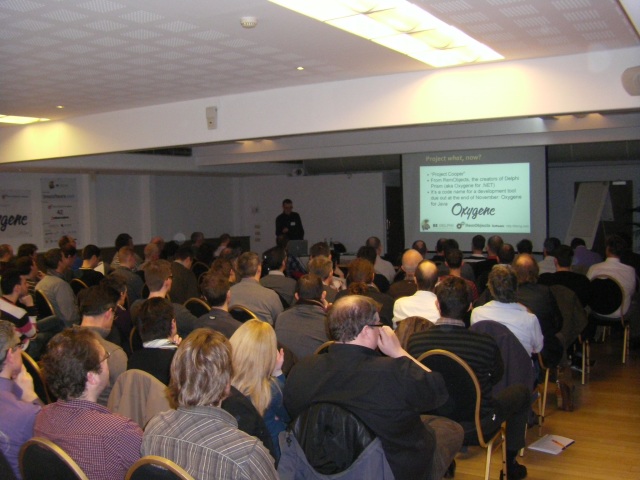
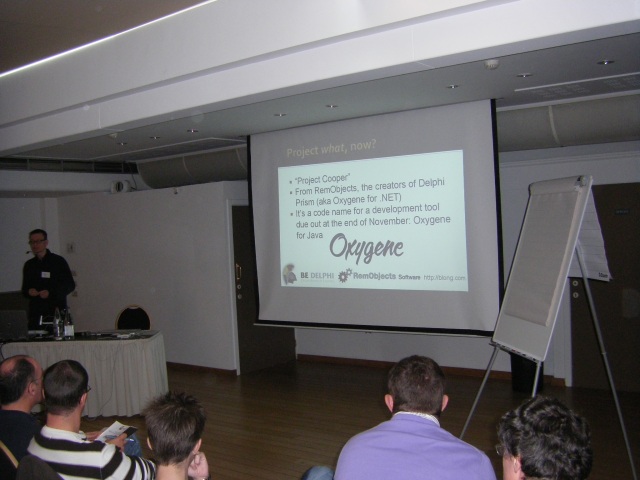
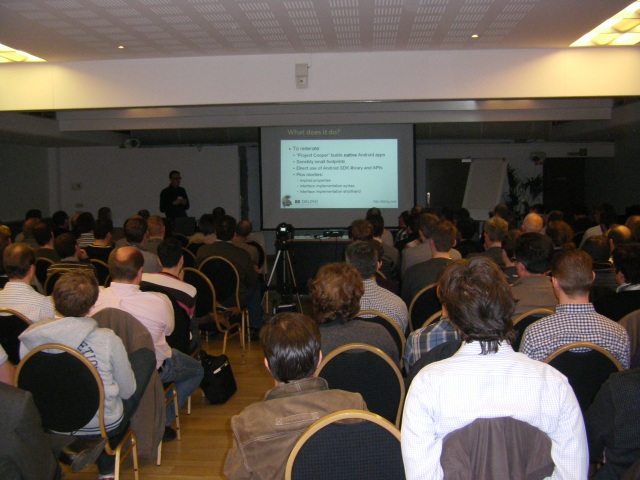
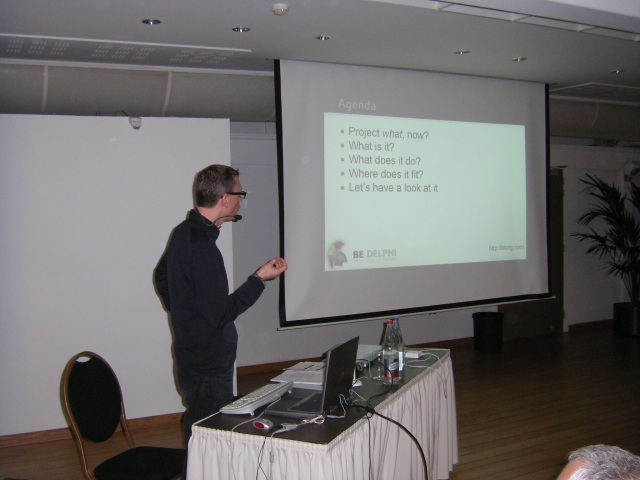
In the middle of November I popped over to Antwerp, Belgium to deliver the launch presentation for Oxygene for Java at Be Delphi 2011. There are some pictures from the day’s sessions here, including a couple from my presentation that have the tell-tale Oxygene logo on the screen.

Be Delphi was a great inaugural day-long conference from a new Belgium-based Delphi community.

Since that launch presentation (and after a couple of other small jobs) I’ve spent a couple of weeks working on an Android project for a client, writing it in Oxygene for Java. More on that in another post.

I’m hoping to be making plenty of noise about this product over coming months in various forms, but until the next post, just note that Oxygene for Java is now available at the RemObjects store.

Saturday, 3 September 2011

Oxygene 5

RemObjects Oxygene product line has now reached version 5 and is now written in itself to ensure continued quality as the product develops further.

Oxygene is a Delphi-like modern Object Pascal language, designed to work well with managed systems such as .NET, Mono and the Java runtime, and not worry too much about out-dated constructs that do not sit well with them. The language supports many up-to-date constructs and concepts, such as sequences, class contracts, nullable types, asynchronous methods, parallelised loops, future types and more besides.

Friday, 2 September 2011

Delphi XE2 and RAD Studio XE2 have arrived

There’s been quite a bit of noise about it of late, and if you have any interest in Delphi you will almost certainly have heard that the new version has come along and has a lot to offer. RAD Studio XE2 is the product that includes Delphi, C++Builder, Delphi Prism (Oxygene for .NET) and RadPHP, Targeting 32-bit and 64-bit Windows and also targeting Apple’s Mac OS X and iOS (i.e. iPhone/iPad/iPod Touch) using the new cross-platform FireMonkey library.
I haven’t yet had much of a chance to explore the new additions to this product so I thought I’d collate a bunch of blog posts and articles/resources on the new release that cover a lot of the major new aspects and so help you know what’s been cooking in the Embarcadero labs over the last year and more.

Monday, 28 February 2011

Mono and Cross-Platform Development

I first bumped into Mono many years ago, way before the 1.0 release. It was one of a couple of non-Microsoft implementations of .NET (or, if I was being pedantic and accurate, it was one of a variety of implementations of the CLI (Common Language Infrastructure) ECMA and ISO standards, of which .NET was the first and defining implementation).

The other one I played with quite a bit at the time seems to have dried up – it was a GNU initiative called Portable .NET.

Another .NET implementation that was pretty exciting in its day was Microsoft’s own SSCLI (the Shared Source Common Language Infrastructure). SSCLI was interesting because it was cross-platform, supporting Windows XP, FreeBSD and Mac OS X 10.2 (or at least that was what the 1.0 release supported). It came equipped with an academic license – no commercial work with it was allowed, but gave a full source base for an implementation of the CLI. A lot of the code was very similar to the .NET source code, although the garbage collector, among other portions, was different.

However SSCLI has stagnated since the 2.0 release in 2006. This is partly due to the fact that Visual Studio now allows you to step through the real .NET source, and so much of the benefit of seeing a whole bunch of the .NET source in SSCLI has diminished.

It did serve as an excellent educational resource though. I did a session on reverse-engineering .NET at an early Developer Developer Developer conference back in 2005 and showed the SSCLI version of ILDASM running within the Visual Studio debugger, allowing you to see the flow of execution through the various dump routines in the code base. Never happier than when neck-deep in a platform’s guts :-)

Anyway, Mono has come on in leaps and bounds since those early days and supports development of applications for iPhone (and iPod and iPad) as well as Android devices using MonoTouch and MonoDroid respectively. But the bread and butter of Mono comes in being able to run the same code base on various different platforms: Windows, OS X, Linux and many more besides. Clearly you have issues with deciding on what to do with the application UI – you can have different UIs on different platforms to have the app look native in each scenario, or you can go the cheap-and-cheerful approach of using something like GTK, where the app looks ‘slightly wrong’ on each platform.

I looked into all this sort of thing in a hefty paper i put together when looking at this at the tail end of 2009. The language used for the paper was Delphi Prism, but the principles of managed code familiar to any .NET or Mono programmer hold true for any language. If you want to review the content of the paper (and the suite of videos that accompanied it) you can visit the landing page or download the PDF paper directly.